Full-Stack Developer
Built a document-heavy legal case management platform for Resolvex — an Alternative Dispute Resolution firm — handling 100K+ legal files across 10+ enterprise clients. The architecture proved robust enough that Synergy Arbitration later hired me to deploy the same system with custom branding and workflow adaptations, scaling the platform to serve 5+ additional enterprise clients.
The Challenge
Resolvex runs arbitration, conciliation, and mediation proceedings for enterprise clients — financial institutions, corporates, and legal entities. Each proceeding generates a rigid, sequentially ordered set of legal documents: Loan Recall Notices, Invocation Notices, Hearing Notices, Affidavits, Awards, and more.
Before this platform, the firm managed all of this over email and shared drives — a workflow that collapsed under scale. With 10+ enterprise clients each running dozens of simultaneous cases, document chaos was the core problem. Clients couldn't track the status of their cases, admins couldn't locate files quickly, and there was no audit trail of what was shared and when.
The platform needed to solve two things simultaneously: a powerful admin-side system for the firm to manage everything, and a clean, confidence-inspiring client portal where enterprise clients could track their cases without needing to call someone.
Architecture
I designed a clean separation-of-concerns architecture with a Next.js (App Router) frontend and a dedicated Express + Node.js backend. The two are completely decoupled — the frontend never touches the database directly. All file operations go through Wasabi Cloud Storage (an S3-compatible service), with presigned URLs generated server-side so private legal documents are never exposed publicly.
The database layer uses Prisma ORM on PostgreSQL, with a carefully designed schema that models the real-world hierarchy: a Client has Batches, each Batch has Cases, each Case has typed Files. A denormalized UserAnalytics table caches aggregate counts (total cases by status, batches by category) and is updated incrementally on every mutation — so the analytics dashboard loads instantly without expensive aggregation queries at read time.
Key Decisions
Several architectural decisions shaped the final system:
- React Query + Jotai over a single state manager — Server state and UI state are fundamentally different concerns. React Query handled all data fetching with automatic cache invalidation and 20-minute stale times, while Jotai managed the single piece of client-only state (the auth token). This kept the codebase lean with no Redux boilerplate.
- Wasabi over AWS S3 — For a firm storing hundreds of thousands of legal documents with no egress fee budget, Wasabi offered S3-compatible APIs at a fraction of the cost with no surprise egress charges. The switch was transparent to the application layer — same SDK, different endpoint.
- Presigned URLs for all file access — Legal documents are sensitive. Rather than proxying files through the server (increasing bandwidth costs and latency) or making the S3 bucket public, every download and preview generates a short-lived presigned URL server-side. Files are never accessible without a valid, fresh token.
- Streaming ZIP for batch downloads — A batch can contain hundreds of files across dozens of cases. Rather than zipping everything in memory (which would OOM the server) or making the client wait for a pre-built archive, I built a streaming pipeline that downloads files from S3 concurrently and pipes them directly into an in-flight ZIP stream sent to the client in real time.
- Strict Role-Based Data Isolation — The platform serves both law firm admins and external enterprise clients from the same codebase. I implemented a robust middleware layer that verifies JWTs via jose at the edge, strictly enforcing tenant boundaries. Admins get full visibility, while clients are cryptographically locked to their own cases — ensuring zero cross-tenant data leakage.
// controllers/batch.controller.ts
// Streams hundreds of S3 files as a ZIP — concurrently, without buffering in memory
export const streamBatch = async (req: AuthRequest, res: Response) => {
  const CONCURRENT_DOWNLOADS = Number(process.env.FILES_DOWNLOAD_LIMIT);

  // 1. Fetch all files in the batch (cases + general files)
  const batch = await prisma.batch.findUnique({
    where: { id },
    include: { cases: { include: { files: true } }, generalFiles: true },
  });

  // 2. Create a ZIP stream piped directly to the HTTP response
  const archive = archiver('zip', { zlib: { level: 7 } });
  res.setHeader('Content-Type', 'application/zip');
  archive.pipe(res);

  // 3. Process files in concurrent batches — never all at once
  for (let i = 0; i < allFilesToZip.length; i += CONCURRENT_DOWNLOADS) {
    const chunk = allFilesToZip.slice(i, i + CONCURRENT_DOWNLOADS);

    const downloads = chunk.map(async (fileInfo) => {
      const s3Response = await s3Client.send(new GetObjectCommand({
        Bucket: process.env.WASABI_BUCKET_NAME,
        Key: fileInfo.key,
      } ));

      // Append the S3 stream to the ZIP — resolves when fully consumed
      await new Promise<void>((resolve, reject) => {
        const stream = s3Response.Body as Readable;
        stream.on('end', resolve).on('error', reject);
        archive.append(stream, { name: fileInfo.zipPath });
      });
    });

    // Wait for this chunk before starting the next — bounded concurrency
    await Promise.all(downloads);
  }

  await archive.finalize(); // Signal ZIP is complete, flush to client
};
The Resolvex Dashboard
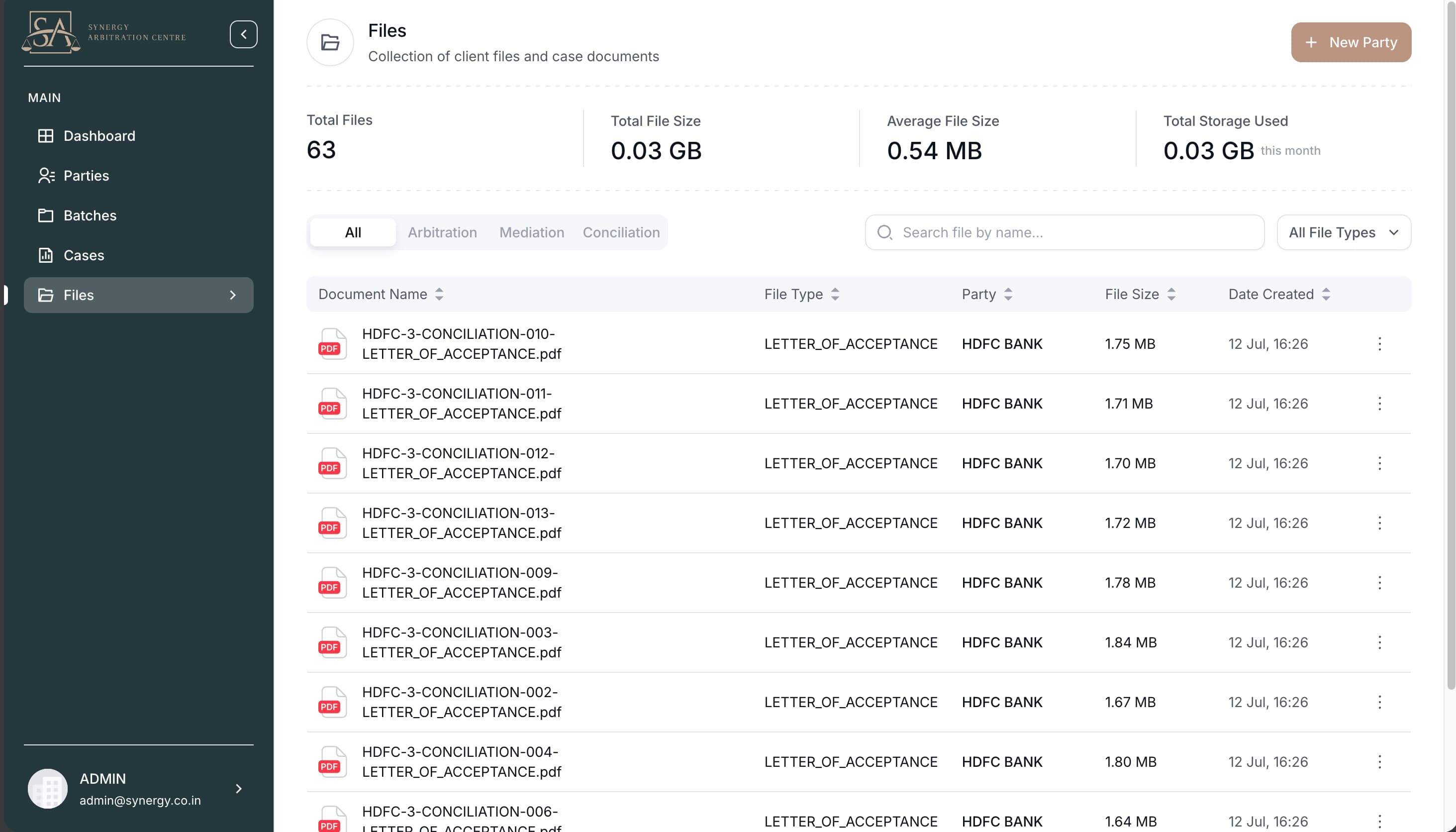
The platform has two distinct portals sharing the same codebase. The Admin Portal gives the Resolvex team complete visibility — client management, batch creation, case tracking, file uploads across 12 legal document types, and an analytics dashboard with charts showing case volumes over time by category and status.
The Client Portal is deliberately stripped down — clients see only their own batches and cases, download their documents, and track where their matters stand. A role-based middleware layer on both the frontend (Next.js middleware with JWT verification via jose) and the backend (Express guards) ensures neither portal can access the other's data.
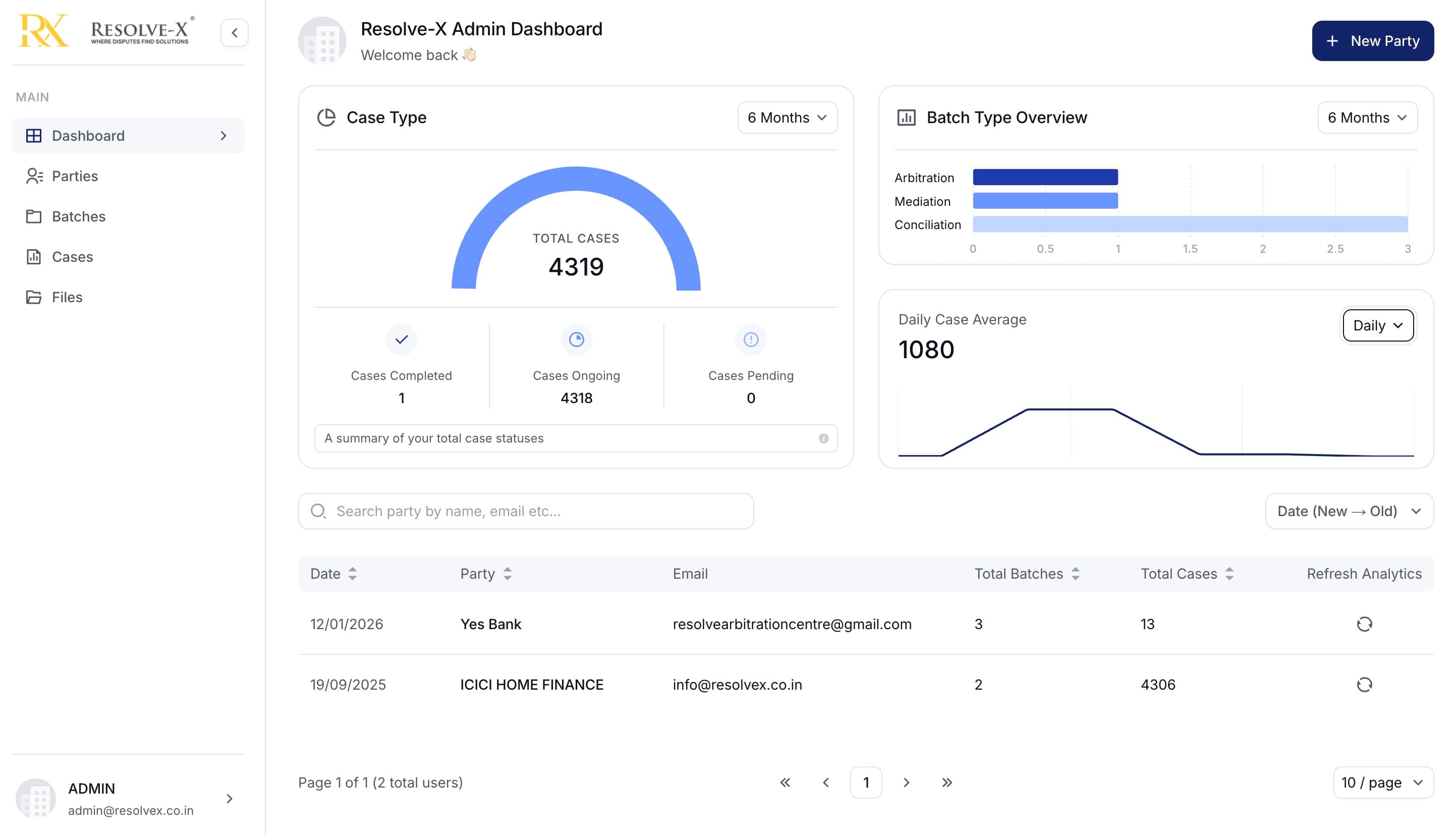
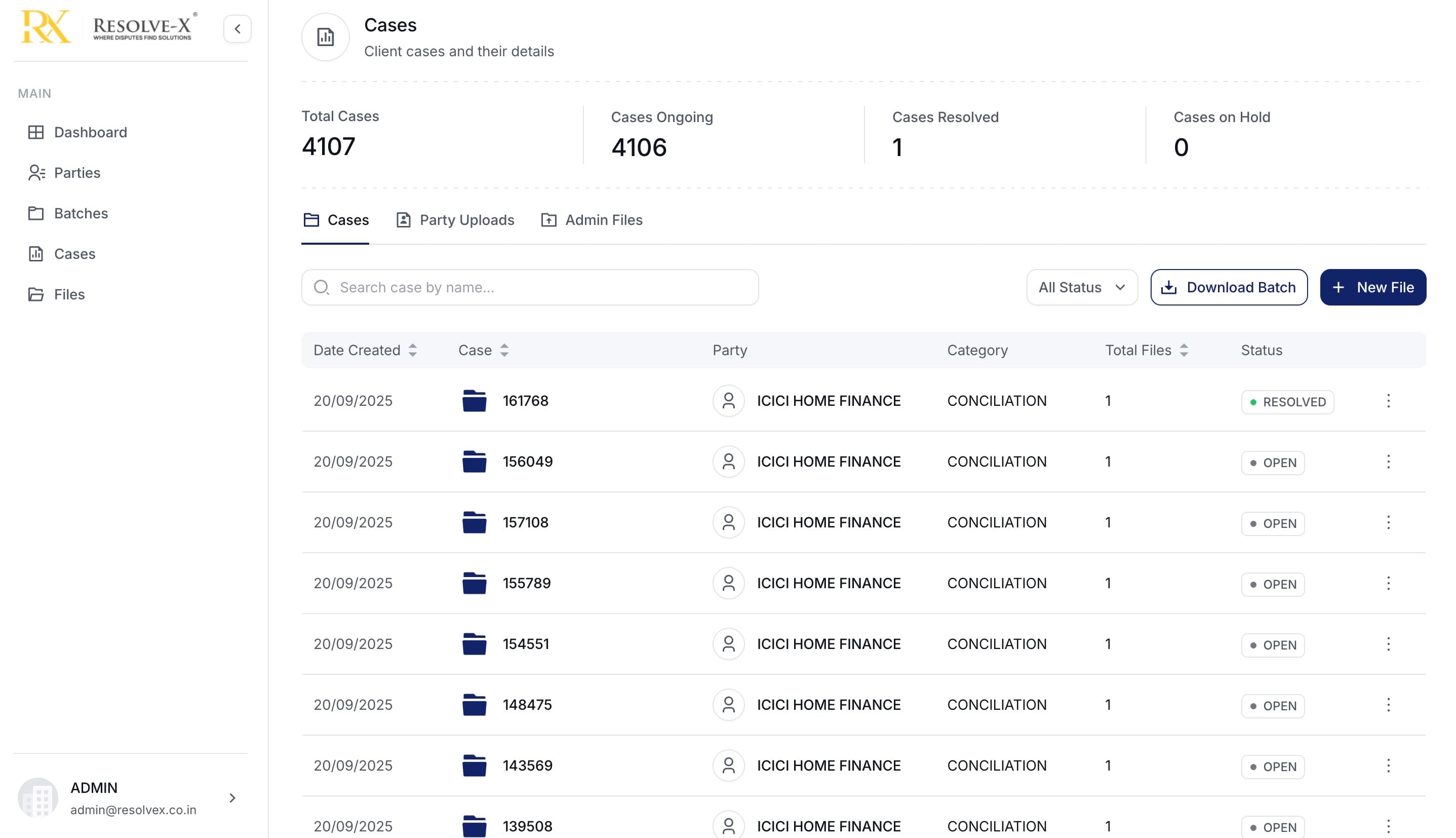
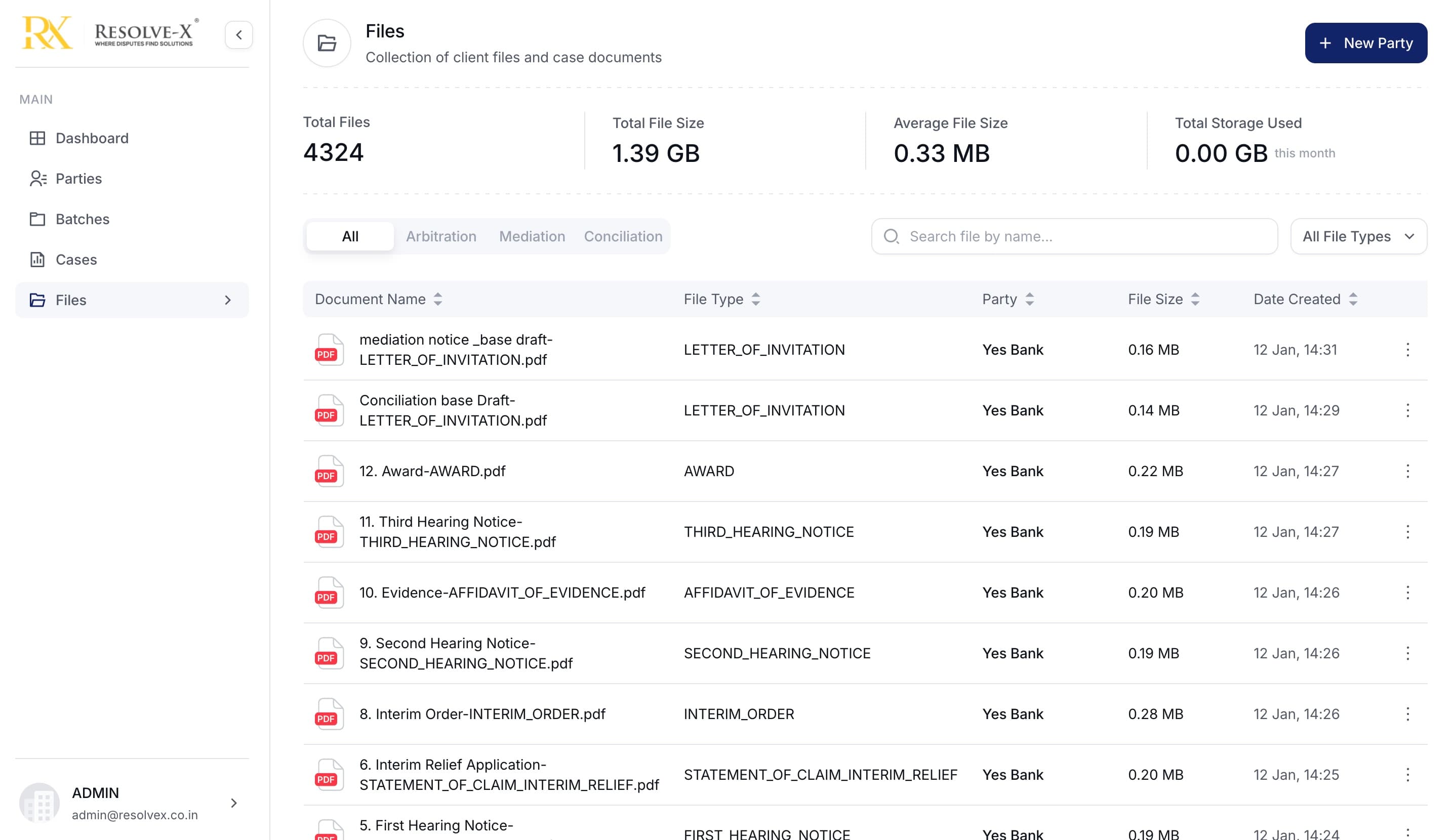
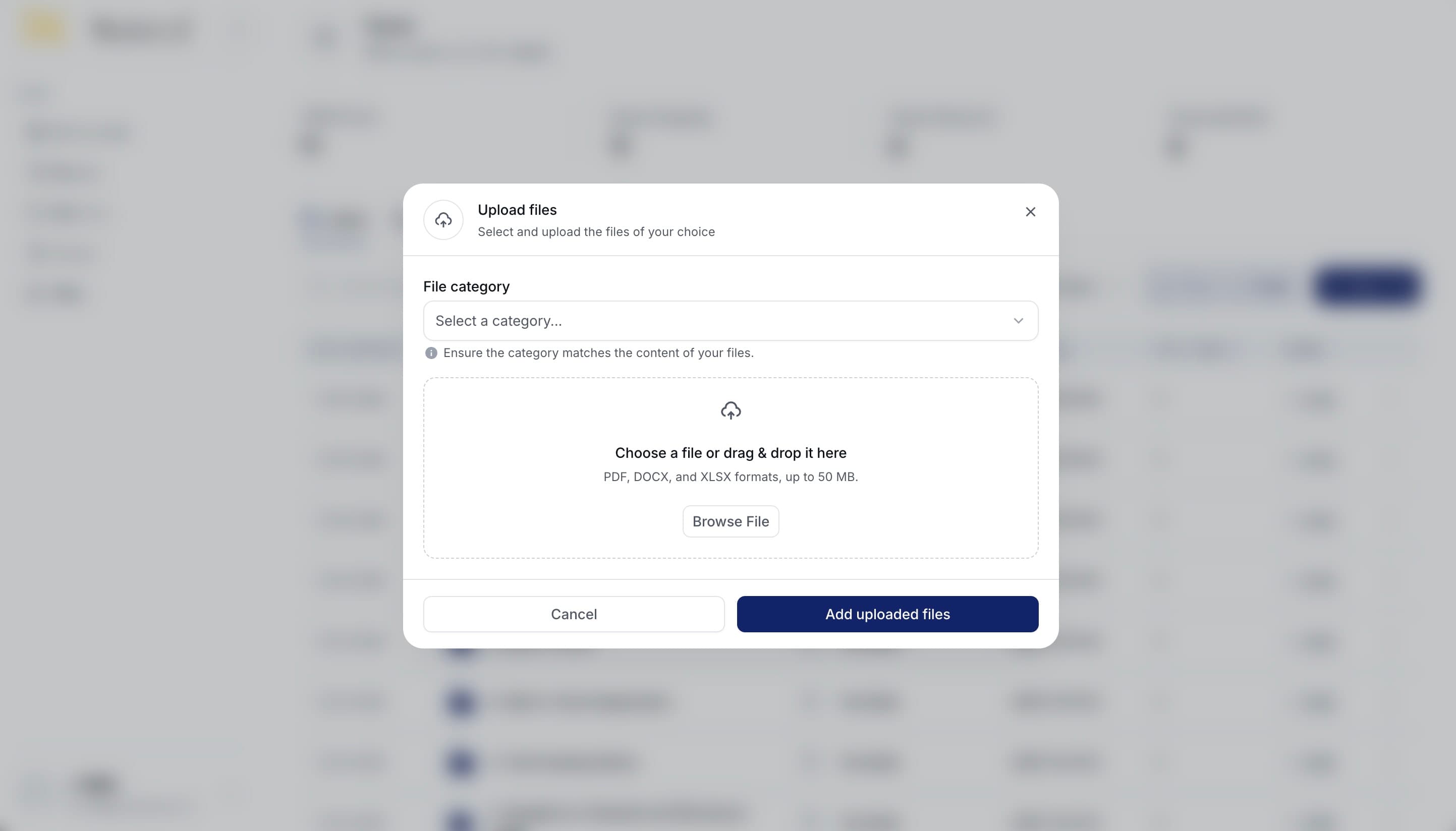
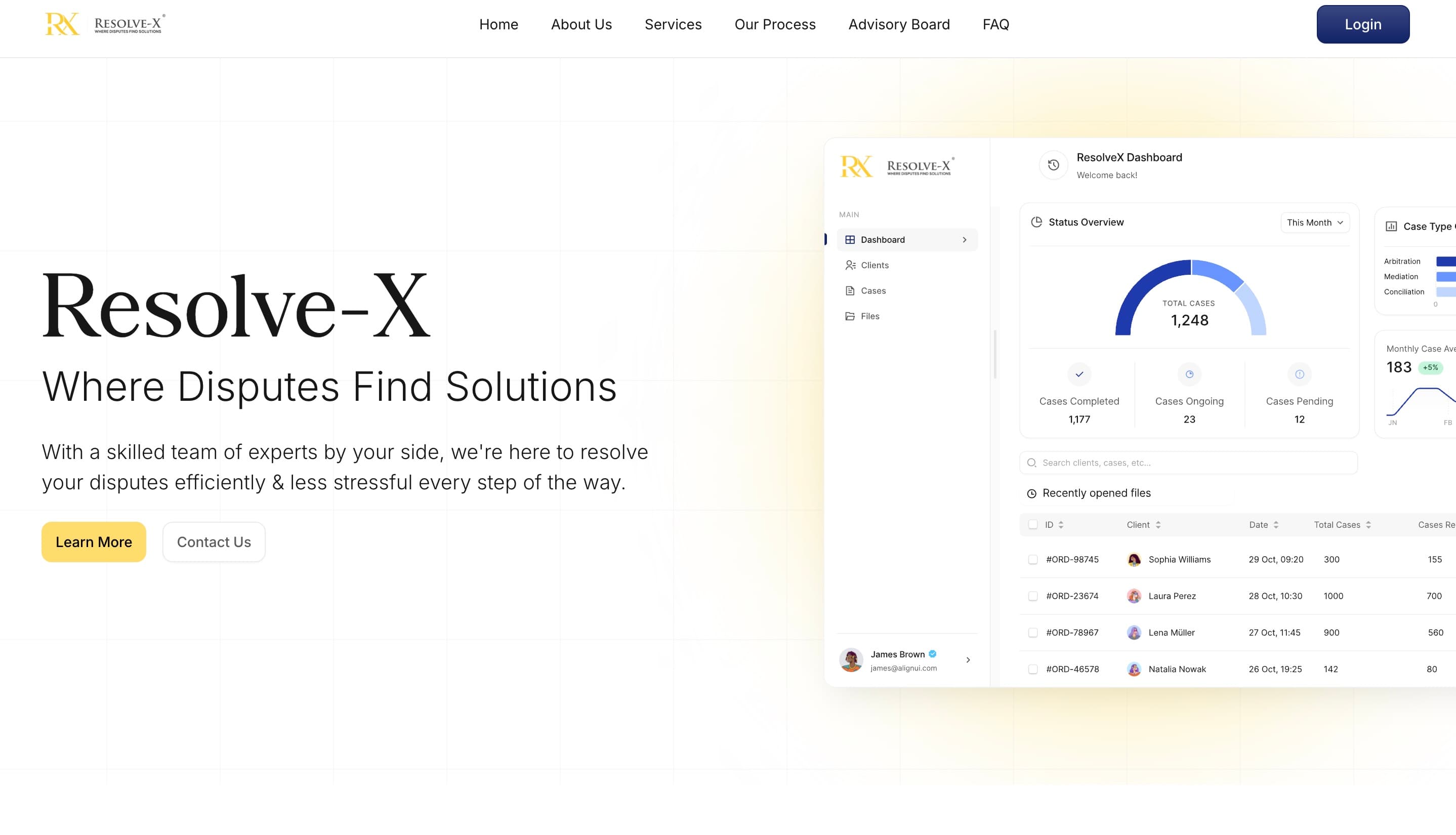
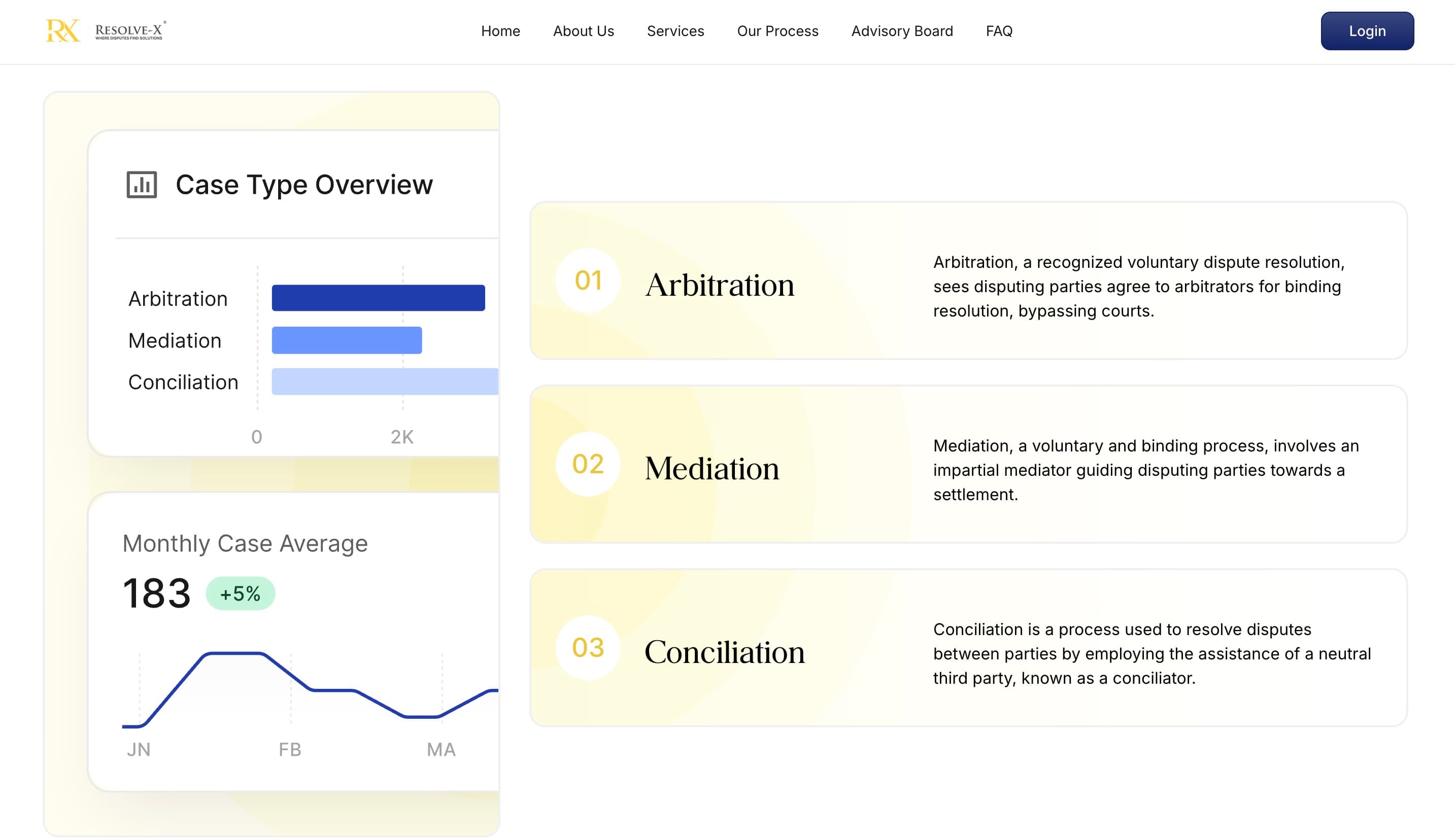
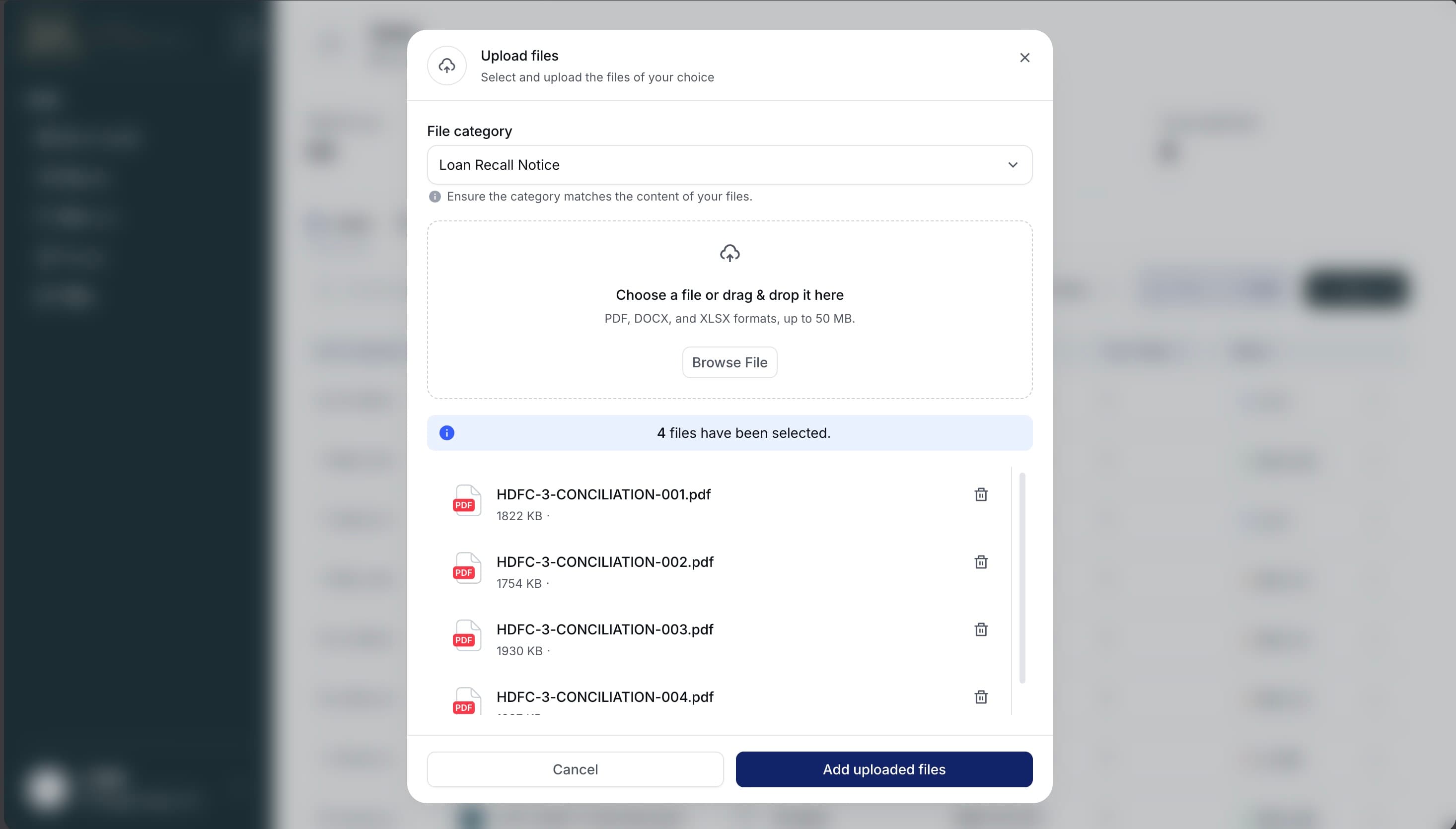
The file management system was the most complex UI surface. Each case can hold up to 12 specific document types in a fixed legal sequence. Admins upload via a multi-step modal that classifies the document type, previews it in-browser using presigned URLs, and allows batch-level ZIP downloads streamed in real time from Wasabi — no waiting for a pre-built archive.
Synergy Arbitration — The Adaptation
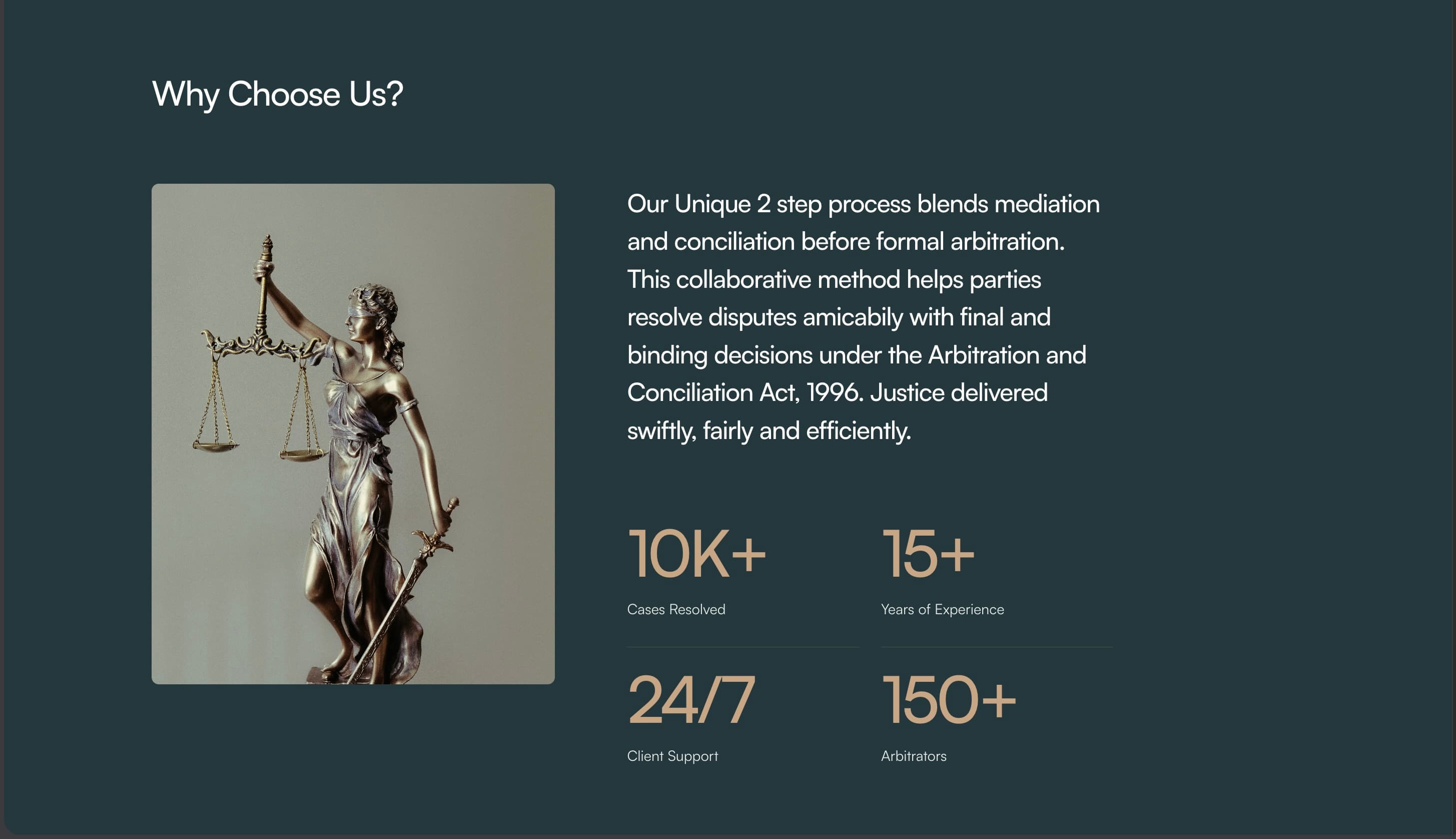
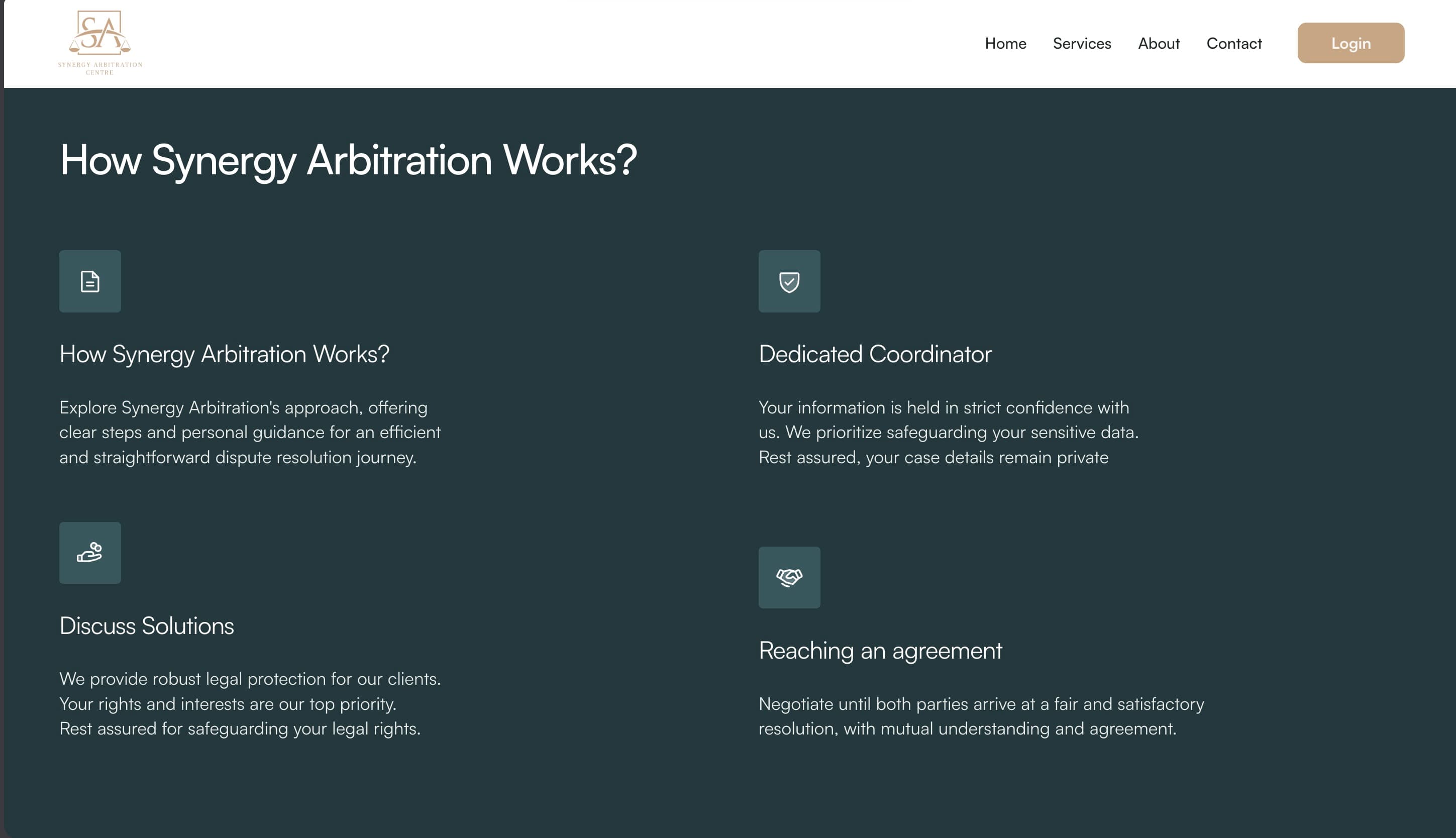
After Resolvex shipped, Synergy Arbitration — another ADR firm — engaged me to deploy the same platform for their practice. This was a meaningful validation: the architecture was solid enough to become a repeatable product, not just a one-off project.
The adaptation required more than a reskin. Synergy's arbitration workflows are more complex — I extended the document classification system from 12 to 17 legal document types, added a real-time notification systemfor case updates, and integrated Vercel Blob as a secondary storage layer. The entire custom design system was re-themed to match Synergy's brand identity, proving the value of building an abstracted component library from day one.
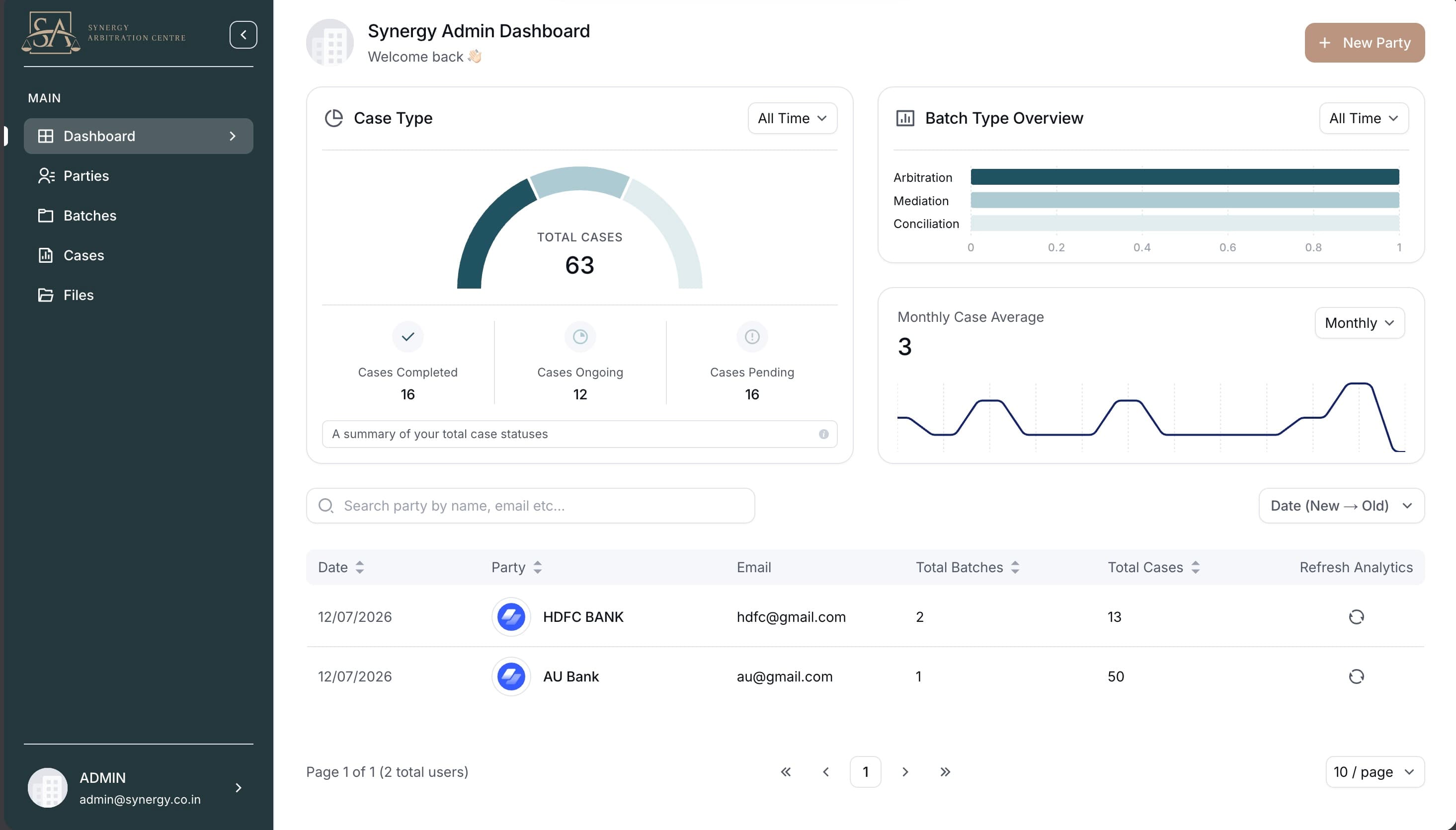
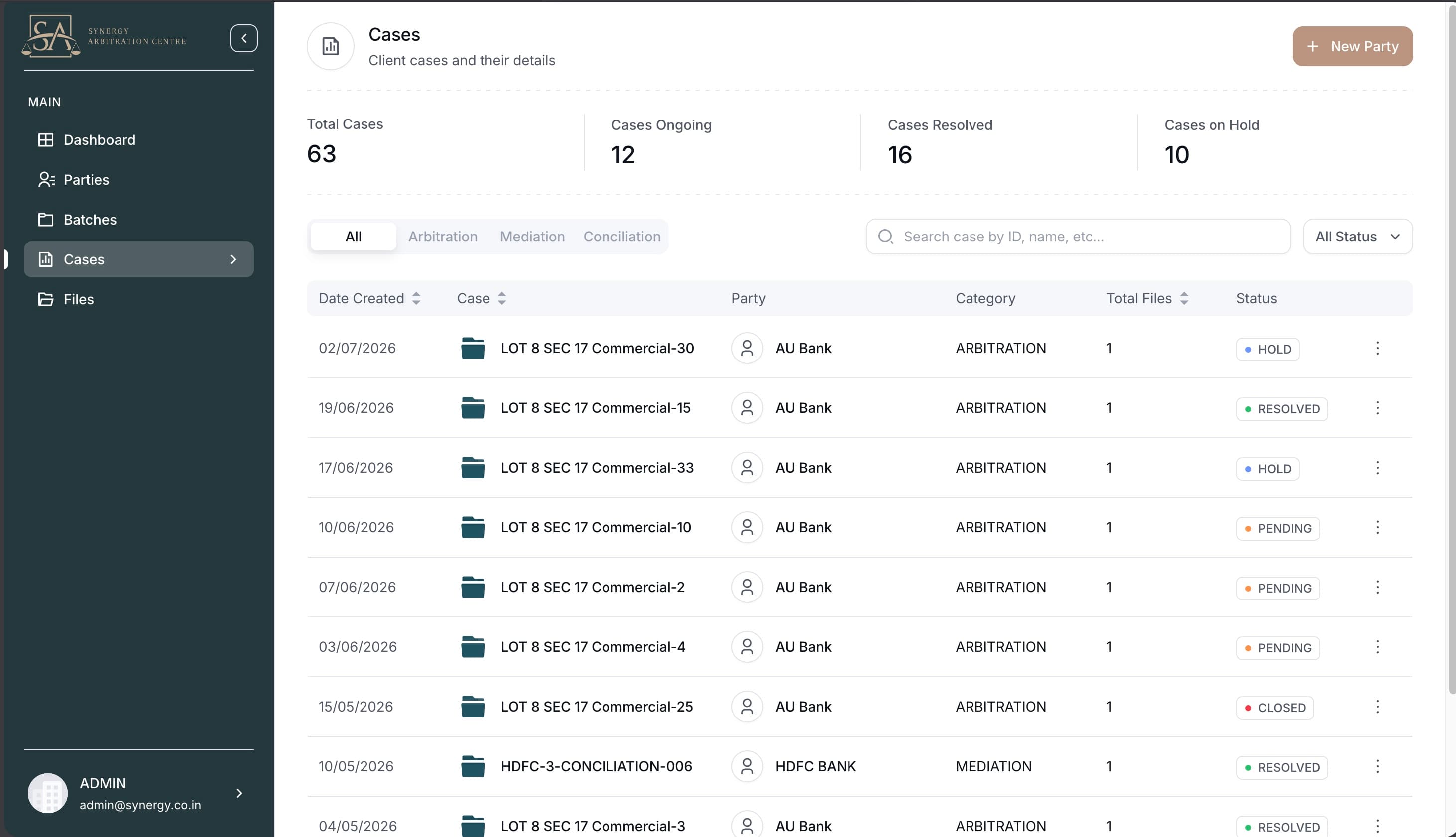

Combined, the platform now serves 15+ enterprise clients across two law firms, handling legal documents for arbitration and dispute resolution proceedings. The shared codebase means improvements to the core architecture benefit both deployments simultaneously.
Results
Across both deployments, the platform delivered measurable outcomes:
Beyond the numbers, this project demonstrated something more important: architecture that scales to a second client is architecture worth building. By investing in a proper design system, clean API boundaries, and a well-modelled database schema from the start, the Synergy deployment took a fraction of the time of the original build — and shipped a more feature-complete product.